AI workflow design7 min read · 02 / 20

Workflow before tools: the reset that made my AI projects better.

I once walked into discovery with a mental shortlist of tools. I left realizing that every tool in my head was stopping me from seeing the work in front of me.

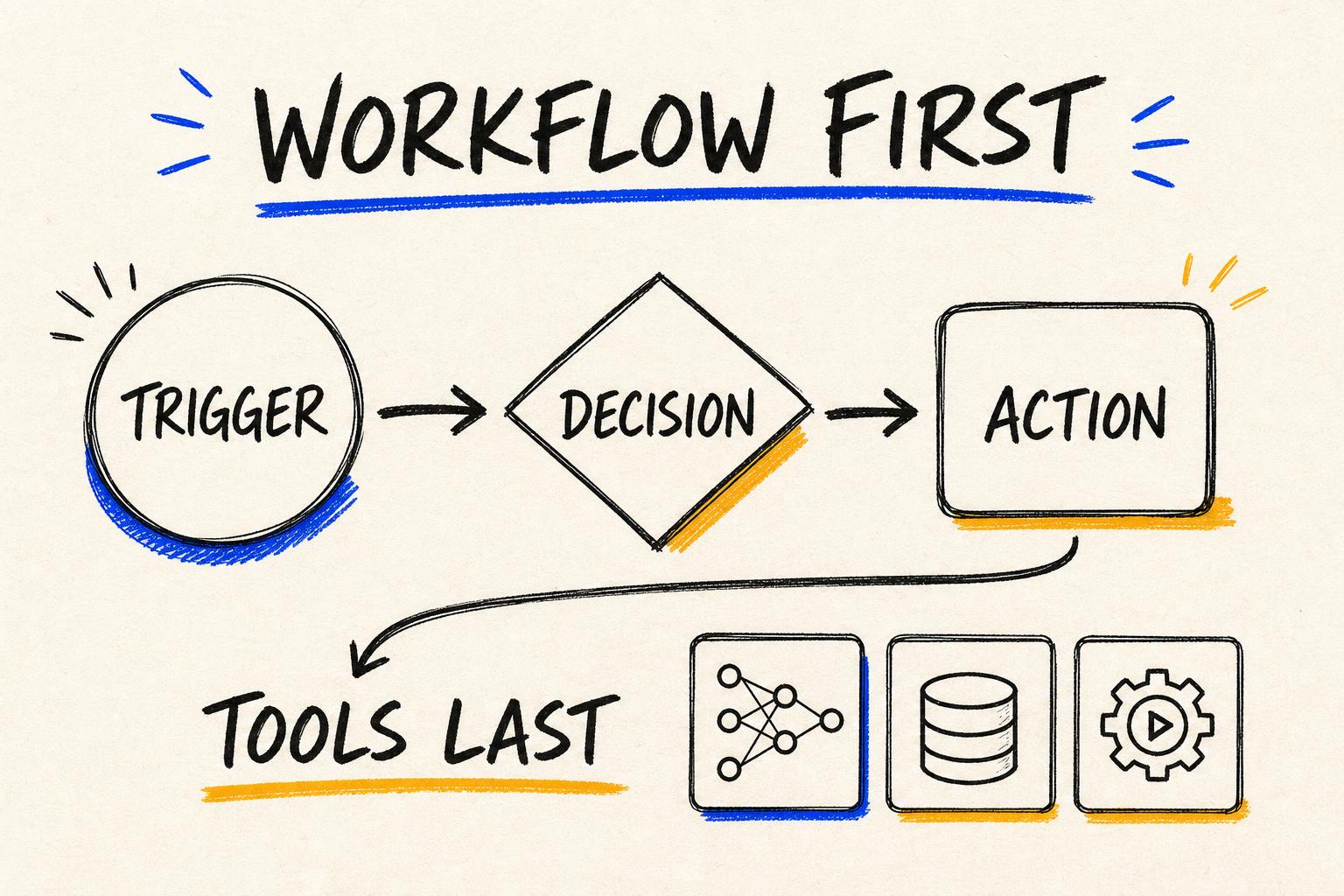
Hand-drawn workflow blueprint appearing before AI models, databases and automation tools are selected.
The workflow is the blueprint. The tools are choices I make only after the path is clear.

The conversation changed when I closed the tool tabs and drew the workflow on a blank page.

A new model had just been released. I had been testing an automation platform and thinking about agents, retrieval and integrations. So when a business problem came up, my mind immediately began assembling the stack.

It felt productive. I could imagine the architecture before the meeting had ended. But the more I explained, the less certain I became that I understood the actual process. I was solving a technical puzzle the team had not asked me to solve.

That moment taught me a useful kind of humility: knowing more tools does not automatically mean I am seeing the problem more clearly.

01 / The tool-first trap

I was designing around capability instead of reality.

When I went back to the current process, the real friction was not content generation. It was incomplete inputs, unclear ownership and approvals that happened in different places.

  • What starts the process?
  • Who owns the next step?
  • Which information is required?
  • What decision is being made?
  • Where does approval happen?
  • What happens when something goes wrong?

The proposed AI system had looked sophisticated because I had skipped the messy operational questions. Once I asked them, the architecture became simpler and far more useful.

02 / The reset

I separated fixed rules from the moments that needed judgement.

Some work was deterministic: validate a field, create a folder, update a status. Other work needed interpretation: identify risk, summarize context or recommend a next step. Seeing the difference stopped me from forcing AI into every box.

The three questions I use now

Before I discuss technology, I make the path from input to decision to action visible.

01

Trigger

What event begins the work, and what information must be present before anything can happen?

Request · status change · meeting · document
02

Decision

Which judgement must the workflow support, and who remains accountable for making it?

Approve · escalate · classify · prioritize
03

Action

What useful change should happen after the decision, including review and exception paths?

Create · notify · update · hand off
03 / Selecting technology last

The stack became a consequence of the workflow, not the starting point.

With the decisions and boundaries visible, tool selection became much less emotional. I could see where a normal rule was enough, where an LLM added value, where data needed to live and where a person should review the result.

01Current process02Required inputs03Fixed rules04Judgement points05Approval boundaries06Failure path07Desired outcome08Success measure

The simplest architecture was no longer a compromise. It was evidence that we understood the problem.

The rule I wrote downIf the workflow is unclear without AI, adding AI will usually make the confusion more expensive.
04 / What changed

I stopped asking where a tool could fit and started asking what the work needed.

That change reduced unnecessary complexity. It also made conversations easier because teams could respond to a workflow they recognized instead of an architecture they did not yet trust.

Clearer ownershipSmaller architectureBetter approval pathsLower maintenanceFaster adoptionMeasurable outcomes

Tools still matter. I simply refuse to let their novelty decide the shape of the product.

What I carry forward

The order of thinking matters more than the number of tools I know.

I begin with the work as it exists, including the awkward handoffs and exceptions. Then I define the decision, the action and the human boundary.

Only after that do I choose models, databases and automation platforms. That order has made my AI systems calmer, clearer and much easier for people to use.

A useful AI workflow is not a collection of powerful tools. It is a dependable path through real work.