AI workflow fallback8 min read · 08 / 20

The AI workflow worked perfectly until a real user touched it.

The happy path had been polished for weeks. One unsupported file exposed how little thought we had given to the moment the system could not continue.

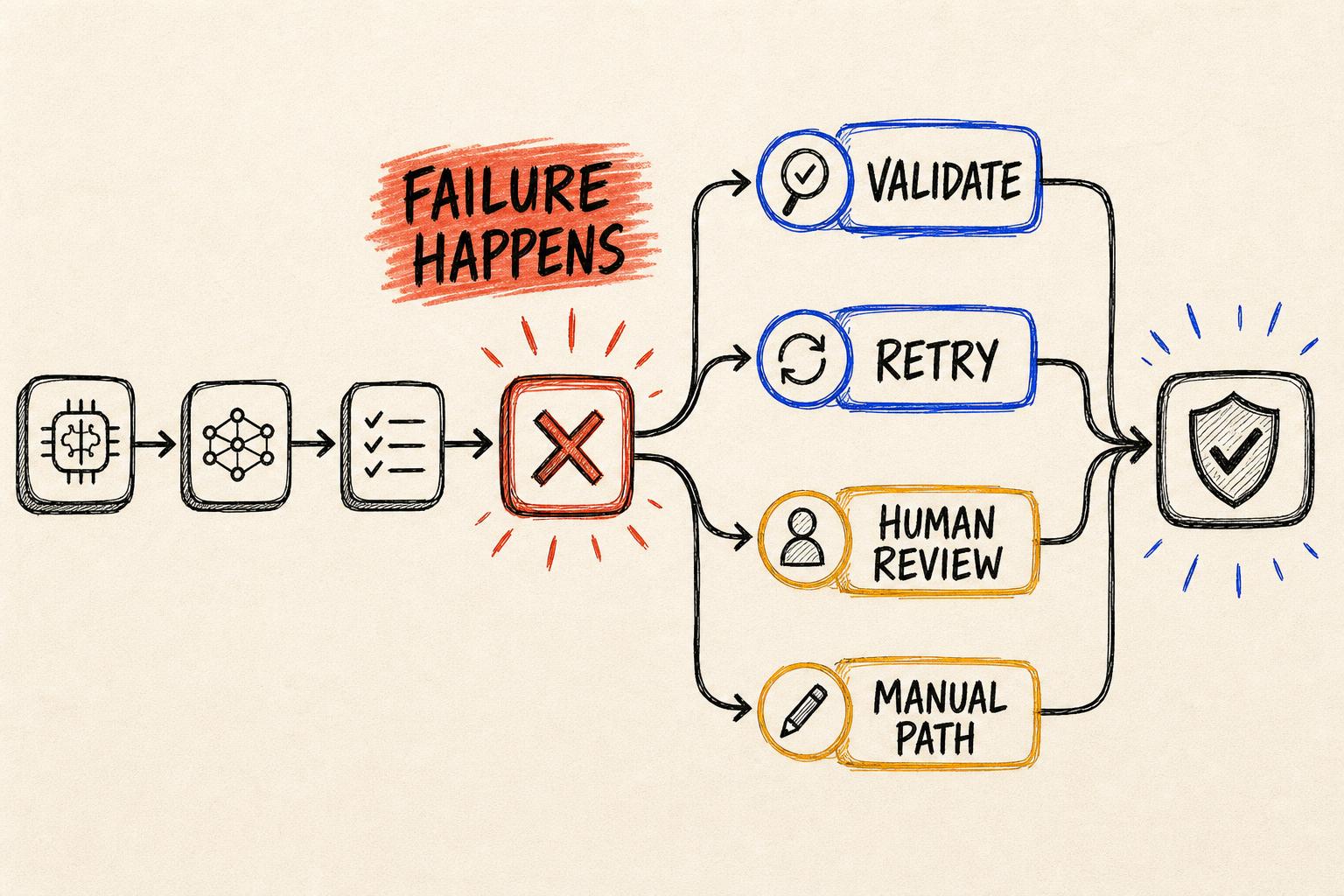
Hand-drawn AI workflow branching into retry, validation, human review and manual completion paths.
Reliability is not the absence of failure. It is the presence of a clear, recoverable path when failure happens.

The model had not failed dramatically. It had received an input we had not designed for, and the workflow had nowhere to go.

During testing, every example followed the expected format. The system extracted the information, generated the output and updated the next step. It felt ready.

Then a user uploaded a different file type with missing fields. Processing stopped. There was no useful message, no saved partial work and no way to complete the task manually from the same place.

That small incident taught me more about production AI than another successful demonstration would have.

01 / Designing only for success

We had tested intelligence but not operating conditions.

Real workflows contain empty fields, timeouts, contradictory information, rate limits, invalid formats and integrations that become unavailable at inconvenient moments.

  • Missing input
  • Invalid file
  • API timeout
  • Model refusal
  • Incomplete output
  • Broken integration

The AI call was only one stage. Every stage needed a defined failure mode and a next action the user could understand.

02 / Validation before action

A generated response was not the same as a valid result.

We added checks for required fields, allowed categories, source references, confidence thresholds and structured output. The workflow could now stop unsafe data before it triggered downstream actions.

The three recovery layers

A dependable workflow detects failure, contains it and helps the user move forward.

01

Retry

Recover automatically from temporary failures such as a timeout or rate limit without duplicating work.

Backoff · idempotency · retry count
02

Review

Send ambiguous, low-confidence or high-risk results to someone with enough context to decide.

Queue · evidence · status · owner
03

Manual

Let the user finish the task without AI and preserve everything that was processed successfully.

Partial output · edit · continue · save
03 / Making failure visible

The error message became part of the workflow design.

Instead of ‘processing error,’ the system explained which step failed, what had already succeeded, whether it would retry and what the person could do next.

01Failure stage02Validation result03Retry count04Human owner05Partial work saved06User action07Final status08Troubleshooting context

We also logged enough operational context to investigate the problem without exposing sensitive information.

The reliability testIf a user cannot understand what happened and continue their work, the workflow has not handled the failure.
04 / Testing the uncomfortable path

We began testing broken inputs as deliberately as ideal ones.

Empty fields, long documents, contradictory instructions and unavailable services became part of the test set. Each case clarified a recovery rule.

Clear statusSafe validationRecoverable workFewer dead endsFaster supportHigher trust

The workflow became less magical and more dependable, which is exactly what production use needed.

What I carry forward

I now design the failure path alongside the success path.

AI reliability does not mean the system never fails. It means failure is detected, contained, communicated and recoverable.

A fallback path is not secondary infrastructure. It is the difference between an impressive demonstration and an operational product.

Design the success path carefully. Design the moment after failure even more carefully.