what not to automate with AI7 min read · 07 / 20

One of my most important AI decisions was deciding not to automate.

I could see how to build the workflow. I could also see that the process, data and consequences were not ready. Saying ‘not yet’ felt less impressive, but far more responsible.

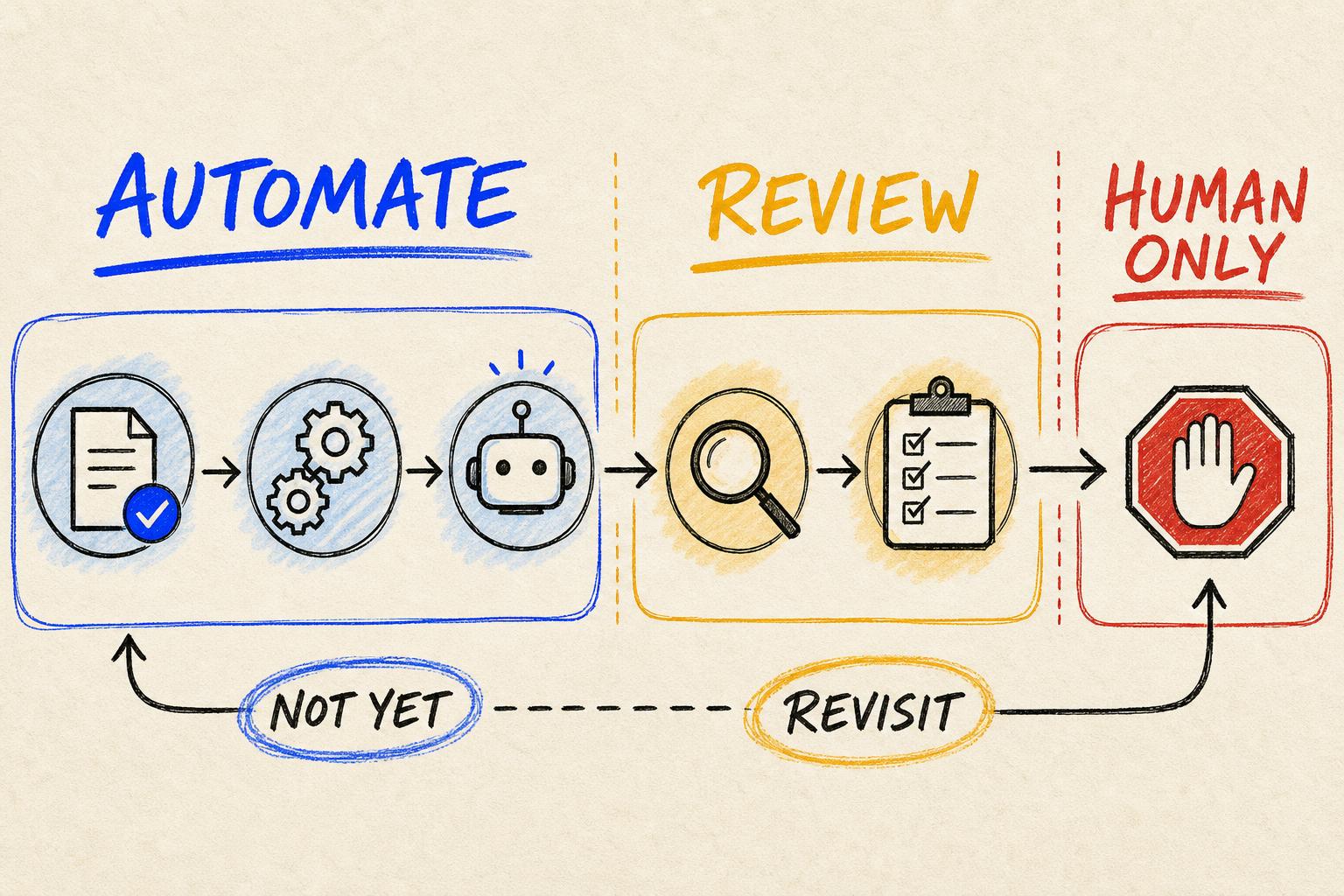
Hand-drawn workflow divided into green automation zones, amber human-review zones and red human-only zones.
A useful automation map shows where AI can move, where a person must review and where the system should stop.

Building was possible. Deploying responsibly was not, at least not yet.

The process involved sensitive judgement, inconsistent inputs and outcomes that were difficult to reverse. From a technical perspective, many steps could be automated. From an operational perspective, the workflow was still unstable.

I felt the familiar pressure to show progress. ‘We should clarify the process first’ does not sound as exciting as an agent taking action. But automating confusion would only make the confusion faster and harder to see.

That experience taught me that deciding where AI should stop is a core delivery skill.

01 / Undefined work

The team did not have one process for the system to learn.

Different employees completed the task in different ways. Required inputs changed by person, exceptions lived in memory and nobody agreed on what a successful output contained.

  • Unclear trigger
  • Missing required inputs
  • Different success definitions
  • Unowned exceptions
  • Inconsistent data
  • No recovery path

AI would not resolve that ambiguity. It would choose patterns invisibly and make inconsistency look polished.

02 / Consequence before convenience

I looked at what would happen when the system was wrong.

Deleting records, sending commitments, changing permissions or making employment decisions carried consequences that could not be treated like a normal draft. AI could prepare the work, but automatic execution needed a much higher standard.

The three reasons I pause

‘Not yet’ is often the right answer when clarity, evidence or reversibility is missing.

01

Unclear

Do not automate a process whose trigger, inputs, success criteria and exceptions are still disputed.

Different methods · hidden rules · no owner
02

Unreliable

Poor data will turn an automated workflow into a faster producer of confident mistakes.

Missing · stale · inconsistent · unverified
03

Irreversible

High-consequence actions need approval, traceability and a safe way to stop or recover.

Delete · pay · reject · publish
03 / Useful work around the boundary

AI could still save time without crossing the line.

The system gathered relevant information, summarized history, drafted alternatives, surfaced risk and prepared a checklist. The human began from a stronger position.

01Process documented02Data validated03Risk assessed04Action reversible05Human owner06Approval defined07Monitoring ready08Fallback tested

This approach created value while the organization improved documentation, examples, evaluation and exception handling.

The sentence I use with teamsNot yet does not mean never. It means we know what must become true before automation is responsible.
04 / Readiness changes

The boundary moved as the workflow matured.

Better examples and clearer rules allowed routine cases to move automatically. Ambiguous or sensitive cases continued to route to a person.

Lower riskBetter documentationSafer reviewVisible exceptionsGradual autonomyStronger trust

Automation became a progression based on evidence rather than a one-time decision driven by excitement.

What I carry forward

A strong AI strategy is not measured by the percentage of work it removes from people.

It is measured by whether the right work is automated with enough reliability, control and benefit to deserve that responsibility.

I remain excited by what AI can do. I am equally attentive to the places where stopping is the most useful design decision.

The best automation strategy does not chase maximum autonomy. It builds maximum useful reliability.